Check your sketch to see if it has a color cast (yellowish is pretty common). If it does, you can easily fix it by converting to grayscale and then converting back to RGB. Recent versions of Adobe Photoshop also have a command at Image > Adjustments > Desaturate that does the same thing in one step. This will give you a purely neutral image, that you can now edit for color to your taste.
Figure 8: Image with color cast
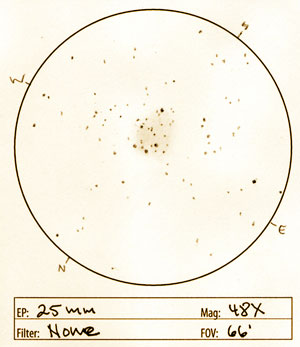
Figure 9: Image with color cast that has been converted to grayscale and then back to RGB color mode
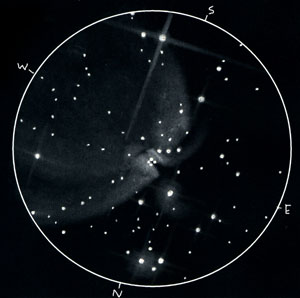
If you have decided you want to present your images as positives, your next step is pretty simple. Go to the "Image" menu, then to the "Adjustments" sub menu, and then select "Invert". This will give convert your sketch to a positive that might already bring back more vivid memories of your eyepiece view. But wait. It gets better. We will now do some cleanup, contrast and brightness adjustments that will bring out the subtle details and glow of your sketch. If you already sketch white on black, or if you prefer to leave your images as negatives, then you will skip this step.
Figure 10: Original negative sketch (M42, M43)
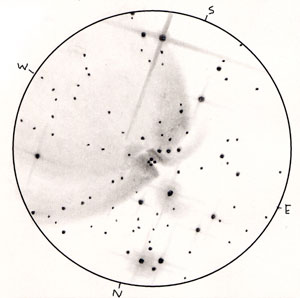
Figure 11: Sketch inverted to be positive
Adjusting luminosity and overall color
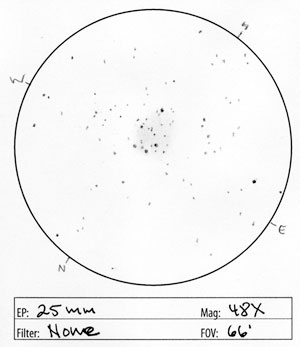
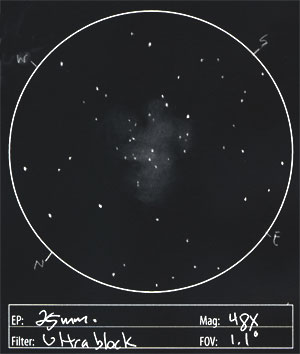
The next thing we want to do is lighten the black background of your sketch a bit. This will allow people to better view the softer, subtler details of your sketch. There is a trade-off that happens here. The stark contrast of a pure black background is very striking, and if you are dealing with open clusters, this can work very well. But if you have any nebulosity or unresolved starlight you are trying to convey, the last transition to black can get lost. By lightening the entire background, we raise the threshold of that visual contrast and we accommodate some of the darker monitors out there.
Figure 12: Open cluster sketch, unlightened (M 37)
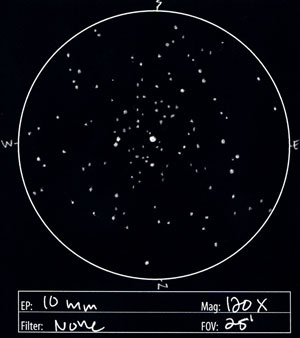
Figure 13: Open cluster sketch, with lightened background
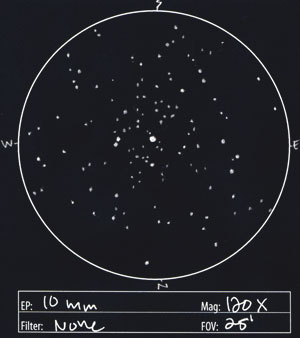
Figure 12: Nebula sketch, unlightened (M 16)
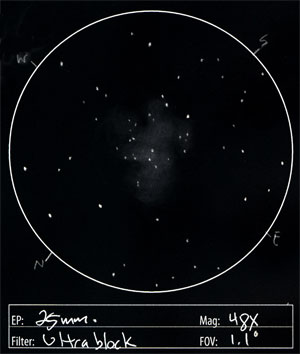
Figure 13: Nebula sketch, with lightened background
PAGE 3 OF 7
-- First Page | Previous Page | Next Page --